Some general plan settings are adjusted via an option from the summary panel menu. Selections and values made in this menu are limited to the current plan scenario and will carry over if you clone the scenario.
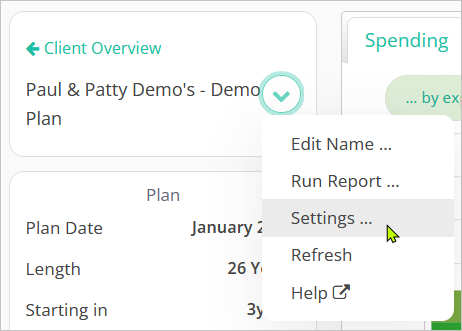
To open the settings window, click on the summary panel menu and choose Settings …
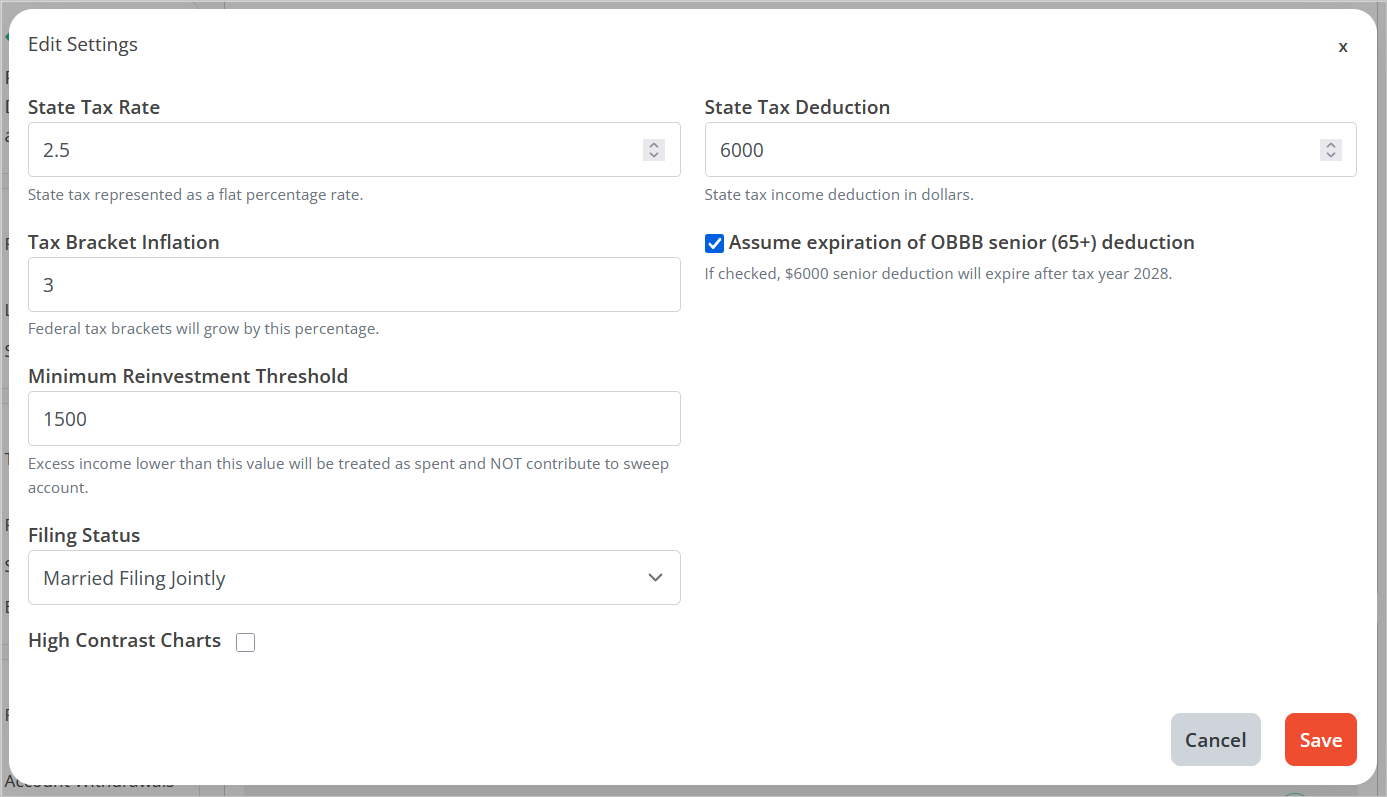
The following settings can be adjusted in this menu:
- State Tax Rate: Flat tax rate that will be applied to all ordinary income across the plan. Default is 0%.
- State Tax Deduction: Dollar amount to be deducted from ordinary income before the application of the State Tax Rate. Default is $0.
- Tax Bracket Inflation: Percentage rate at which some tax bracket ranges and deductions will inflate.
The affected figures are:
– Ordinary income brackets
– Long-Term Capital Gains brackets
– IRMAA brackets
– Standard Deduction (Federal)
– State Tax Deduction
The threshold for Net Investment Income Tax and the brackets for percentage of Social Security as taxable are not indexed. This figure does not change any marginal rates, only bracket ranges. - Assume expiration of OBBB senior (65+) deduction: When enabled, the system will assume that the OBBB $6,000 maximum per client additional deduction for ages 65+ sunsets as scheduled in 2029. If unchecked, the additional deductions will be assumed to continue indefinitely. Neither the deduction value nor the deduction phase-out thresholds are indexed to the Tax Bracket Inflation value. Default is enabled.
- Minimum Reinvestment Threshold: Dollar amount that will determine whether excess income incurred will be reinvested into the specified sweep account. If the excess in a single year is less than this figure, all of it will be considered spent. If the excess is greater than this figure, all of it will be reinvested into the sweep account at the beginning of the following year.
- Filing Status: Tax filing status assumed for the household and factored into plan taxation calculations.
For single client plans, the options are:
– Single
– Head of Household
For two client plans, the options are:
– Married Filing Jointly
– Married Filing Separately
– Married Filing Separately (Living apart)
Default for single client is Single, for two clients is Married Filing Jointly. - High Contrast Colors: When checked, the view area chart colors will adjust to high contrast colors that may be easier for some users to differentiate.
Clicking Save will re-calculate the plan with all selections and values made in the settings window.